Introduction
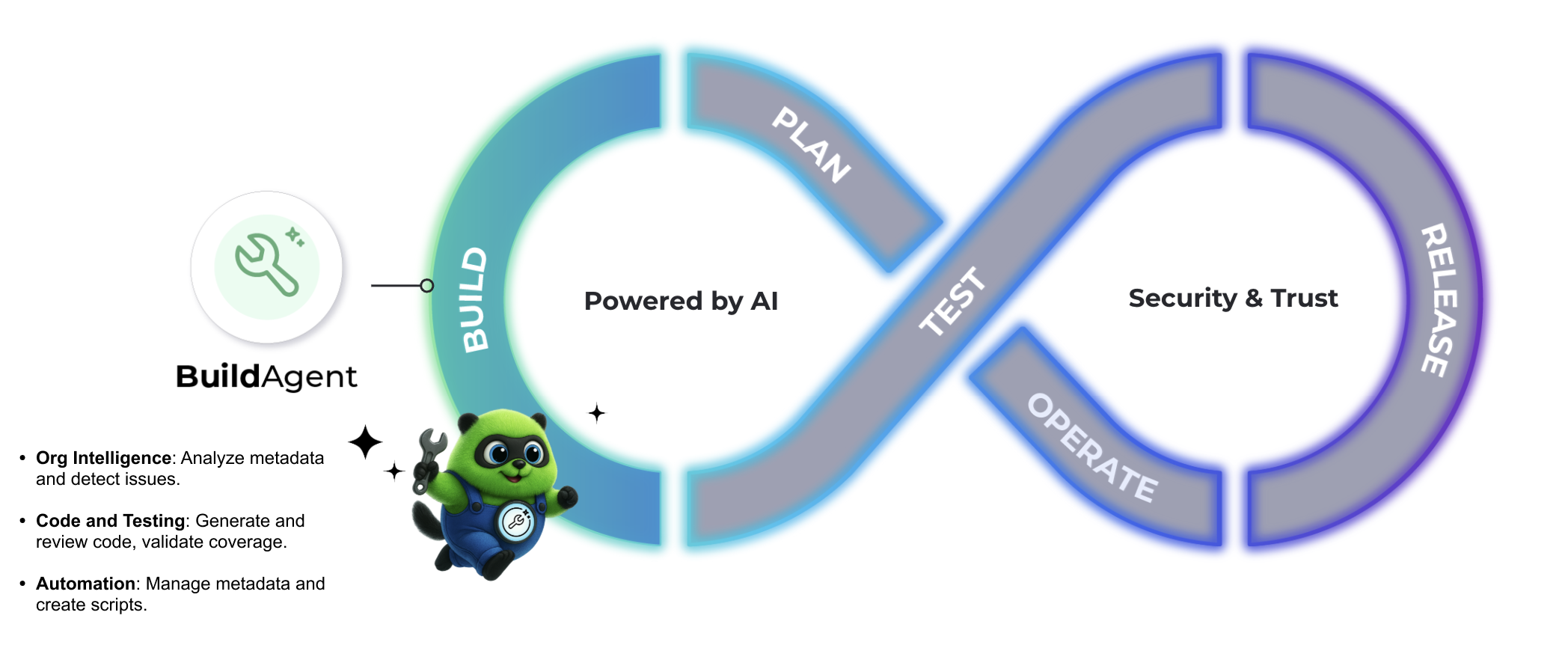
The Build Agent is an AI-powered assistant that supports the Build stage of the DevOps lifecycle in Salesforce. It helps you accelerate development and maintain quality by leveraging Org Intelligence, the contextual awareness of your org’s metadata. You can activate the Build Agent through either Copado CI/CD or the Salesforce integration.
Available Interface: AI Context Hub.
How the Build Agent Supports Your Workflow
When you connect your AI Context Hub to your Copado CI/CD or Salesforce environment, you give Build Agent access to your org's metadata. This metadata intelligence allows the Build Agent to analyze code, validate changes, and identify potential issues early in the development process. With this metadata-driven insight, it can generate and review Apex code, Lightning Web Components, SOQL queries, flows, and formulas. It also streamlines metadata management by creating and modifying objects, fields, and security settings.
Additionally, the Build Agent streamlines deployment configuration by directly adding Apex scripts as deployment steps to user stories. Before creating a step, the agent automatically checks existing deployment steps to prevent duplicates and ordering conflicts. The agent can also create, update, and list Manual Task deployment steps, which are tasks that a person must perform during a deployment. This reduces manual effort required to configure deployment steps as part of your workflow.
Beyond Salesforce-specific tasks, the Build Agent can produce scripts and API calls to support development and deployments. It integrates with Copado CI/CD tools to provide context from user stories, features, and pipelines, and can generate supporting assets such as technical documentation, deployment guides, and code explanations.
By combining Org Intelligence with testing and validation, the Build Agent helps teams deliver high-quality solutions faster and with greater confidence.
Capabilities
Salesforce Org Analysis
- Read and analyze Salesforce metadata (Apex classes, triggers, flows, custom objects, fields, etc.)
- Search for specific metadata components across your org.
- Examine org structure and dependencies.
- Review security configurations.
Code Development and Review
- Generate new Apex classes, triggers, and test classes.
- Create Lightning Web Components (LWC) and Aura components.
- Write SOQL queries and analyze data relationships.
- Review existing code for best practices and improvements.
- Generate comprehensive test coverage.
Testing and Validation
- Run Apex tests and analyze results.
- Check code coverage and identify gaps.
- Perform syntax and compilation checks.
Validation and Deployment Configuration
- Add Apex scripts as deployment steps directly to a user story.
- Evaluate existing deployment steps before creation to prevent duplicates and ordering conflicts.
- Create, update, and list Manual Task deployment steps.
- Validate metadata changes before deployment.
- Preview changes before deployment execution.
- Track deployment progress with deployment IDs.
- Ensure consistency between validation and deployment phases.
Copado CI/CD Integration
- Access user stories, features, and sprint information.
- Review deployment pipelines and release management.
- Analyze team structures and project data.
Metadata Management
- Create and modify custom objects, fields, and relationships.
- Generate validation rules and workflow automation.
- Build flows and process automation.
- Create permission sets and security configurations.
Documentation and Analysis
- Generate technical documentation.
- Provide code explanations and best practices.
- Analyze org complexity and suggest improvements.
- Create deployment guides and technical specifications.
Artifact Generation
The Build Agent groups repeated validations of the same Salesforce metadata file as versions of a single artifact.
Constraints
Although the Build Agent provides powerful metadata insights, there are several areas where its capabilities are currently limited.
Deployment Restrictions
- The agent can add Apex scripts and Manual Task steps as deployment steps to user stories, but it cannot trigger or execute final deployments directly.
- Cannot create or modify metadata directly in Salesforce without proper deployment configuration.
- Cannot execute DML operations or data modifications.
Usage Analysis Limitations
- Cannot determine where metadata is used across the entire org.
- Can check specific relationships (for example, if Apex method X is used in other Apex classes).
- Cannot see usage in Lightning Web Components, Aura, Flows, external systems, or other non-Apex contexts
- Limited visibility into cross-platform dependencies.
Data Access Constraints
- Cannot access or modify actual Salesforce data records.
- Cannot see real-time org usage statistics
- Cannot access user activity logs or audit trails.
- Limited to metadata structure analysis only.
Org Interaction Boundaries
- Cannot perform administrative actions (user management, org settings, etc.)
- Cannot access production data or PII.
- Cannot modify security settings or permissions directly.
- Except for the Salesforce integration, it cannot access external apps.
Testing Limitations
- Can run tests, but results depend on the current org state.
- Cannot guarantee test results in different environments.
- Cannot access test data that might affect outcomes.
Platform Constraints
- Limited to what's accessible through Salesforce APIs.
- Cannot interact with external systems or third-party tools outside the Copado instance and Salesforce instance via org credentials.
- Cannot access browser-based Salesforce features directly.
Scope Boundaries
- Cannot provide legal, business, or compliance advice.
- Cannot access confidential or restricted organizational information.
- Cannot make business decisions or recommendations outside the technical scope.
Due to these limitations, the Build Agent cannot reliably respond to prompts like the following:
- "List all fields of type location across the org."
- "List all Flows that create Accounts."
- "Tell me which users can create Leads."
- "Show all classes used in the Sales app."
- "Where is this component used throughout the org?"
- "What will break if I change X?"
Use Cases and Sample Prompts
1. Create Apex Deployment Steps
Ask the agent to add an Apex script as a deployment step to a user story. The Build Agent will automatically check for existing steps to avoid duplicates or sequence conflicts.
Example prompts:
- "Add an Apex script deployment step to user story US-000123 that runs Database.executeBatch(new AccountUpdateBatch()); after deployment."
- "Create a pre-deployment Apex step on US-000456 to disable custom settings."
2. Create, Update, and List Manual Task Deployment Steps
Ask the agent to create, update, or list Manual Task deployment steps on a user story. A Manual Task step is a task that a person must perform during a deployment. The agent supports the following actions:
- Create a step: Describe the task and name the person who completes it. The agent finds the person, confirms the match, and asks where the task is completed if you have not said. It states what it will create and waits for your confirmation. It then shows the steps of the user story in the order they will run.
- Update a step: Ask to change what the step says, who it is assigned to, or when it applies. The agent states exactly what will change, waits for your confirmation, and then shows the updated steps. If your request changes nothing, the agent tells you so.
- List steps: Each Manual Task step shows its task description and the assignee’s name. Listing steps only reads data, so it needs no confirmation.
Every Manual Task step requires an assignee. If the agent cannot find the person you name, it tells you and asks for clarification. If more than one person matches, the agent lists the matches and asks which one you mean.
Example prompts:
- "Add a manual task deployment step to user story US-000123 asking Jane Smith to confirm the data migration is complete."
- "Change the assignee of the manual task on US-000123 to John Doe."
- "List the deployment steps of user story US-000123."
3. Analyze and Search Metadata
Use the agent to search and review metadata components in your Salesforce org—such as classes, fields, and tests—to understand structure and dependencies more easily.
Example prompts:
- "List all classes containing 'training' in their name."
- "Show me all the custom fields of the Account object."
- "Find all Apex tests related to the Opportunity object."
4. Validate and Improve Test Coverage
Ask the agent to help you write and validate Apex tests, increase code coverage, and run test classes to ensure your codebase is deployment-ready.
Example prompts:
- "Help me improve test coverage for class AccountHelper with tests TestA and TestB."
- "Help me increase the test cases of the AccountTriggerHandler class."
- "Validate and run tests for AccountHelper."
5. Review Code and Troubleshoot Issues
Use the agent to review code and identify potential issues in Lightning Web Components (LWCs), Apex, and metadata updates to accelerate debugging and optimization.
Example prompts:
- "Review LWC leadManager for potential improvements."
- "Why might LWC accountTile be experiencing rendering issues?"
- "Troubleshoot this specific Contact update error: FIELD_INTEGRITY_EXCEPTION."
6. Configure Translations and Localizations
Use the agent to set up translations for custom objects and fields to support multilingual user experiences in your Salesforce org.
Example prompts:
7. Generate Scripts and API Requests
Ask the Build Agent to create external scripts that interact with Salesforce APIs, helping you automate repetitive tasks and streamline data operations.
Example prompts:
8. Query User Stories Across Sprints
Get visibility into work in progress by retrieving pending user stories from current and previous sprints to better manage your workload.
Example prompts:
Next Steps
Ready to enhance your build process?
Connect your Copado CI/CD or your Salesforce environment to AI Context Hub and try one of the sample prompts above. The Build Agent will analyze your specific environment and provide tailored recommendations to improve your development workflow.